en


There is a BP9 app download for Android, offered directly from the BP9 site through its Download Our App section and Android button. On iPhone there is no App Store listing. Instead, Safari can add BP9 to your Home Screen, where it opens full screen with its own icon.
If you would rather not install anything, you do not have to. Most games load in a mobile browser, and you reach the same account with the same username and password whichever route you take.
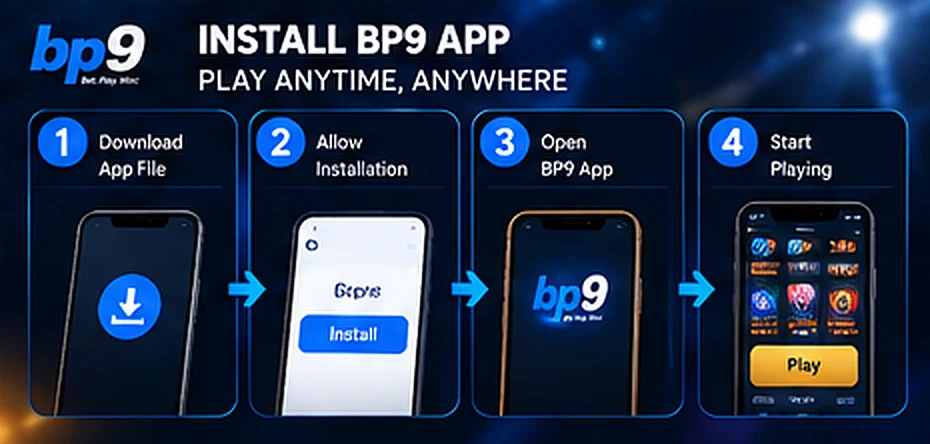
Android is the platform with a real app file. The download sits on the site itself rather than in the Play Store, so you install it as a sideloaded APK. That is a normal Android procedure, but the phone will ask you for permission along the way, and it pays to know which prompt is which before you start tapping.
The only safe source is the download button on the BP9 site itself. In general, the risk with Android APKs is not the format itself but where the file came from, so treat any download link sent to you in a chat, a forum post or a message from someone claiming to be staff as untrustworthy. Scammers do impersonate our brand, which is why we ask members to verify anyone contacting them through 24-hour live chat first. The same instinct that protects your money also protects your phone, and our guidance on spotting impersonation and fake contacts goes through the checks worth making.
Leaving the install-from-unknown-sources setting switched on is the second avoidable mistake. Turn it back off once BP9 is installed, so a later file cannot install itself quietly. If a prompt looks wrong or the install stalls, close it and ask live chat rather than hunting for another copy of the file elsewhere.
Open BP9 on your phone, install the Android app or add it to your Home Screen, and log in with the same account.
There is no iOS download file and no App Store app. What iPhone and iPad do support is a Home Screen web app. The BP9 site is set up for this, which means the icon opens in its own full-screen window instead of a Safari tab with an address bar across the top.
From then on it behaves much like an installed app for day-to-day use: one tap from the Home Screen, straight into the lobby. Because it is still the live site underneath, you always load the current version and there is nothing to update by hand.
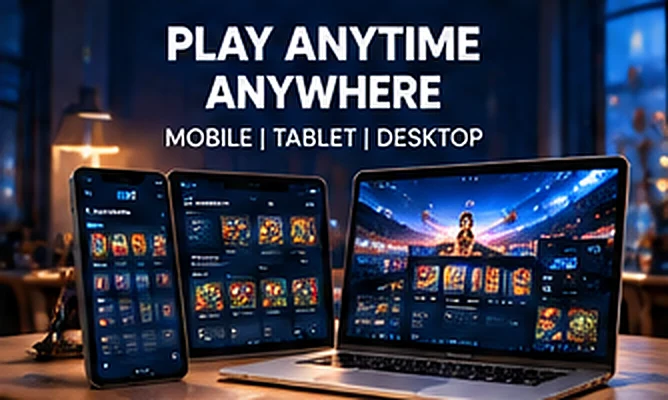
Most of the catalogue needs no app at all. Slots, live tables, the sportsbook and fishing titles load in a mobile browser without installing anything. Mega888 is the exception, since it is an app-based provider with separate access, covered below.
There is little to prepare. A current mobile browser and a stable connection are enough, and the same pages work on a desktop computer when you would rather play on a larger screen. Log in, transfer funds from your Main Wallet into the Game Wallet of the provider you want, and open the game. The browser route is also a quick way to check your balance, history or a promotion’s progress from a phone that is not your own, as long as you log out afterwards.
Your account does not change with the access method. You log in with the same username and password, and the member area, My Wallet and history sit behind that one login. Your wallets belong to your account, not to the device you open it on.
| Practical difference | Android app | iPhone Home Screen | Mobile browser |
|---|---|---|---|
| How you get it | Download the APK from our site and install it | Safari share sheet, Add to Home Screen | Nothing to install |
| Space on the device | Occupies storage like any installed app | Little more than an icon and cached files | No footprint beyond normal browsing data |
| Keeping it current | In general, a sideloaded APK is updated by installing a newer file | Loads the live site each time you open it | Loads the live site each time you open it |
| How it opens | Own icon, own window | Own icon, full screen without the address bar | Inside a browser tab, with tabs and address bar |
| Account and login | Same username and password | Same username and password | Same username and password |
The differences are mostly about convenience rather than capability. An installed Android build gives you the tidiest launch and, in general, an installed app can show system notifications once you allow them at the operating-system level. A Home Screen icon gives you the same one-tap entry with almost no storage cost. A browser tab is the fastest way to try the site on a phone you do not own or do not want to install anything on.
Whichever route you use, the Settings page in the member area holds an SMS Notification toggle and a Push Notification toggle, both switched on for a new account. If you prefer fewer messages, that is where you turn them down.
Mega888 is not a browser game. It is an app-based provider inside the Slots category, and it uses a separate game account rather than your site credentials. You set that up in the member area under Game Password, where Mega888 appears as the provider alongside a game username field.
Keep the two logins straight in your head: the site login gets you into the lobby and your wallet, while the Mega888 game password gets you into the provider itself. The offers attached to it work differently too, running on a winover target instead of ordinary turnover, so it is worth reading how Mega888 access and its bonuses fit together before you transfer funds there.
Nothing about the money or the rules shifts because you are on an app. A bonus claimed from your phone carries the same conditions, wallet lock and 30-day validity, and each deposit still needs 1x turnover before it can be withdrawn. Your VIP tier still sets your daily withdrawal cap and how many withdrawals you can request in a day, and the same name-matching requirement applies, so the deposit and withdrawal rules are worth knowing before your first cash-out attempt rather than after it.