en


Money moves through BP9 in a straight line. You deposit by FPX, DuitNow QR, e-wallet or bank transfer, the funds land in your Main Wallet, you transfer what you want to play with into a provider’s Game Wallet, and withdrawals leave from the Main Wallet to a bank account or e-wallet in your own name.
Three things decide whether that line stays unbroken: the name on your payment account, the 1x turnover attached to every deposit, and whether a promotion is still running on your account. Get those right and the rest is routine.
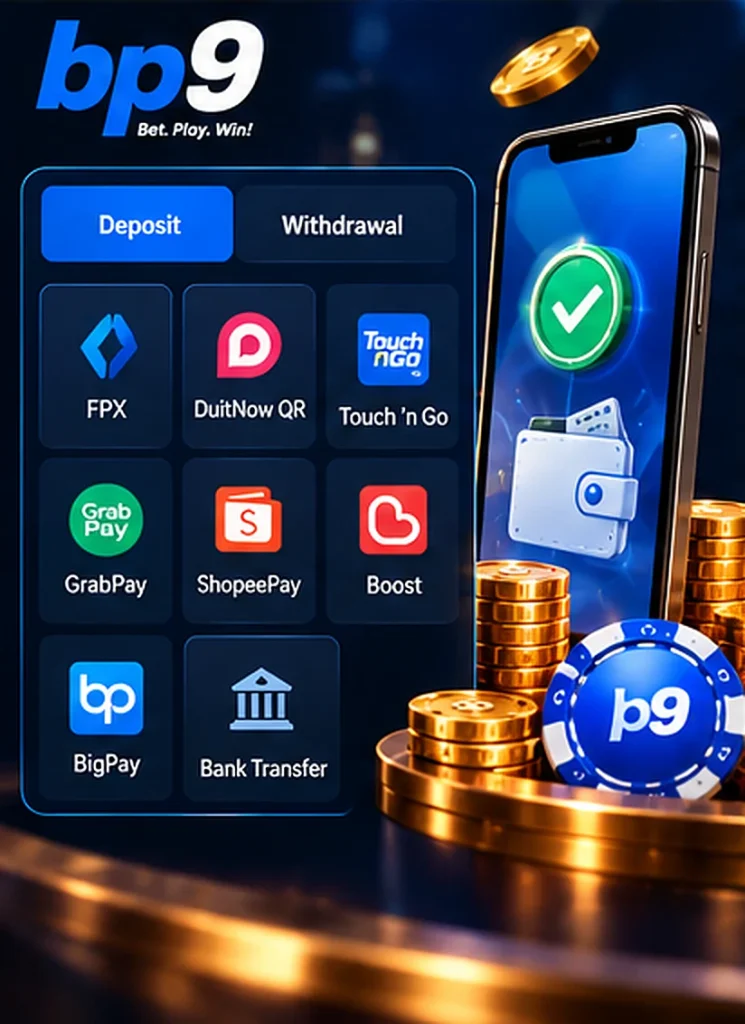
Deposits and withdrawals use different sets of channels, so it helps to see them side by side before you start.
| Method | How you pay or get paid | Deposit | Withdrawal |
|---|---|---|---|
| FPX online banking | Authorise the payment inside your own bank’s login, confirming with SMS OTP or a token | Yes | No |
| Bank transfer (including CDM) | Instant transfer from your own internet or mobile banking, then upload the receipt | Yes | No |
| DuitNow QR | Scan the QR code in your banking or e-wallet app | Yes | No |
| E-wallet (Touch ‘n Go, GrabPay, ShopeePay) | Pay from your e-wallet balance | Yes | No |
| Bank account payout | Paid to the bank account bound under Bank Details | No | Yes |
| E-wallet payout (BigPay, Boost, ShopeePay, Touch ‘n Go) | Paid to the e-wallet bound under Bank Details | No | Yes |
BP9 also works with payment gateway partners, including Eeziepay, Help2pay and Fastpay. With a gateway you log in to your own online banking, not hand over card details, and the payment completes with your usual two-factor step, an SMS OTP or a token.
FPX is Malaysia’s online banking payment service. You pick your bank on the payment page, log in as you normally would, approve the amount, and the money is debited straight from your current or savings account.
DuitNow QR is the shared national QR standard. One code can be read by most Malaysian banking apps and several e-wallets, so you scan, check the amount on screen and confirm. Both services are run on the national payments network operated by PayNet, which is why the same rails show up across so many different apps.
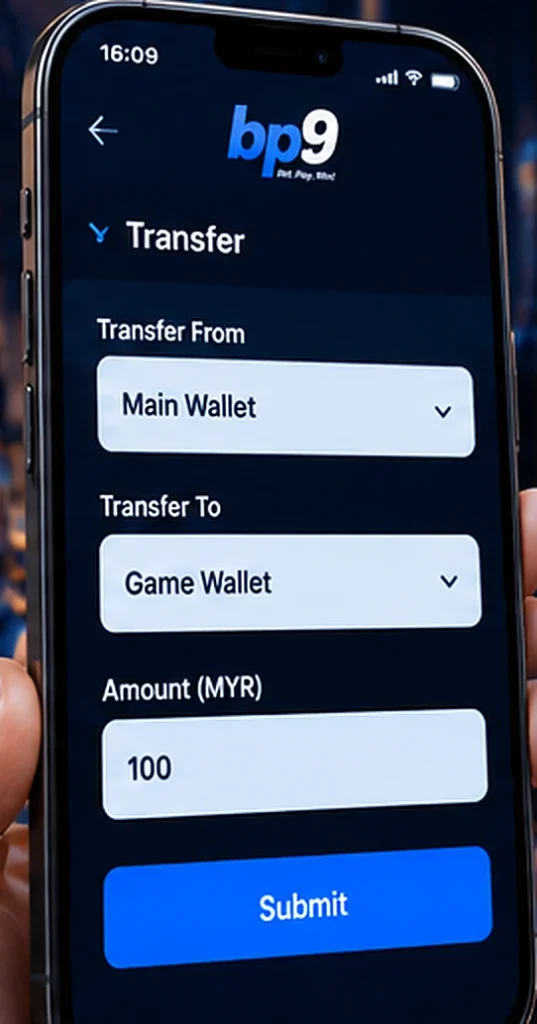
BP9 keeps two layers of balance. The Main Wallet is the cashier: deposits arrive there and withdrawals leave from there. Each game provider then has its own Game Wallet, and that is where bets are actually placed.
So an approved deposit on its own does not let you play. Open Transfer in My Wallet, choose the provider under Transfer To, enter the amount and submit. If you skip that step and open a game, you will get an Insufficient funds message even though your Main Wallet clearly has money in it.
The reverse matters at cash-out time. Anything sitting in a Game Wallet is not withdrawable until you move it back to the Main Wallet, so check both balances before you assume a payout is short.
If you use FPX, DuitNow QR or an e-wallet, the flow is short: open Deposit in My Wallet, pick the method, enter the amount and complete the payment in your banking or wallet app. The manual bank transfer route has more steps, because you are moving the money yourself and BP9 has to match it to your account.
Enter the exact figure, not a rounded one. The verification step compares what you typed against what arrived, and a mismatch holds up the credit while it is checked. If a deposit cannot be verified, you will be asked to upload the receipt showing the bank, amount and time, or to cancel the deposit.
Cash deposits through a CDM follow the same pattern, with the machine receipt uploaded in place of a banking screenshot. And before an off-hours transfer, open the Bank Maintenance Hours button in My Wallet to check whether your bank is affected.
Pick your method, copy the current details from your own Deposit page and keep the receipt ready.
Your name has to match. The name on the depositing bank account must be the full name registered on your profile, which is also why My Profile asks you to enter your name exactly as your bank holds it. Third-party deposits are not accepted, so you cannot top up from a friend’s, partner’s or parent’s account, even with their permission. The same rule follows the money out again: a withdrawal to a differently named beneficiary is rejected.
Check the account details before every single transfer. Receiving accounts are not permanent, so the details you saved last month may not be the ones in use today. Always copy them fresh from your own deposit page at the moment you pay, and never from a message, a screenshot or anyone claiming to be staff. Our guidance on spotting fake agents and payment requests goes through the checks worth making if anything looks off.
Keep gambling words out of the reference. Do not write BP9, casino, slots, betting or anything similar in the reference or remark field. Leave it blank or use a plain neutral note.
Every deposit carries 1x turnover. Turnover is simply the total value of your settled bets, with each win or loss adding to the running total and draws adding nothing. Deposit RM 200 and you need RM 200 of settled bets before that money can be withdrawn. It is the lightest requirement on the platform, but it is not optional, and it is separate from the much heavier turnover attached to bonus offers and their wallet locks.
Set up your payout destination once and later withdrawals get quicker. Under Bank Details in the member area, choose Bank Account or E-Wallet and save the details. E-wallet payouts can be bound to BigPay, Boost, ShopeePay or Touch ‘n Go.
Before your first withdrawal, the platform asks you to verify your mobile number. A verification popup appears when you open Withdraw: tap REQUEST OTP, enter the six-digit code that arrives by SMS and confirm. This ties withdrawals to a phone you control, an extra check on top of your password.
Payouts are made in the currency you deposited, so a Ringgit account is paid in Ringgit.
A withdrawal request can be rejected for these reasons:
Two of these are worth planning around rather than reacting to. If you know you will want to cash out this week, finish the turnover on your last deposit first, and avoid opting into a bonus you have no intention of playing through.
How much you can take out in a day, and how many separate requests you can make, is set by your VIP tier. Bronze is reached with your first deposit, so every funded account starts there.
| VIP tier | Daily withdrawal limit | Withdrawals per day |
|---|---|---|
| Bronze | MYR 50,000 | 2 |
| Silver | MYR 80,000 | 3 |
| Gold | MYR 100,000 | 5 |
| Platinum | MYR 300,000 | Unlimited |
| Diamond | Unlimited | Unlimited |
For everyday play the cap is not the constraint; the request count is. At Bronze you get two withdrawals a day, so pulling out small amounts repeatedly will run you out of requests before it runs you out of limit. Batching a single larger withdrawal is the practical answer at the lower tiers, and the counts loosen as the tier requirements and their 365-day deposit window are met.
BP9 does not add a fee of its own to deposits or withdrawals. Some payment methods do charge for the transaction, and those charges are not absorbed, so your Main Wallet is credited with the amount that was actually received rather than the amount you typed. On a small deposit through a fee-bearing channel, that difference is visible, which is one more reason to check the credited figure against your own banking record.
Your transaction history keeps the paper trail. The History tab lists each transaction with its date, type, processing fee, amount and status, and there are separate tabs for transfers between wallets and for rebate credits. If a figure ever looks wrong, that record is the first place to look before raising it with live chat.