en


Scammers impersonate BP9 staff. They send messages pretending to be an agent, then ask for a deposit into an account they control. The money never reaches your balance, because it never came near us.
This page turns BP9’s security warnings into one routine you can follow every time you move money. Two habits sit at the centre of it: never send funds to details you received in a message, and always start the conversation with support yourself.
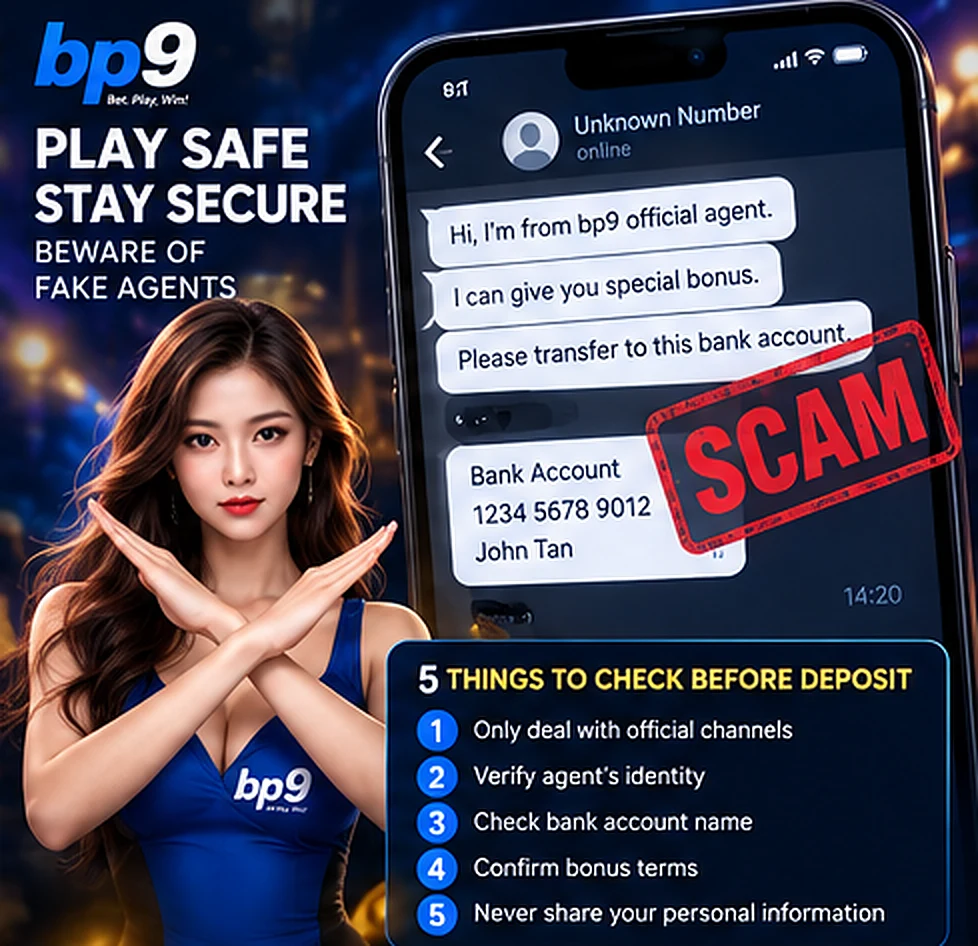
A message like this arrives from outside your account. It names BP9, sounds official, and asks you to transfer to a bank account or e-wallet that a real deposit page would never show you. It can be dressed up in many ways, but it always ends with a payment to details that did not come from your own account.
Do not reply and do not send anything. Instead, open live chat from inside your own account and ask support to verify the person contacting you. Customer support is available 24 hours a day, seven days a week, and confirming an agent’s identity is a normal request. Any transaction you make should go through an authorised agent and through the payment details our own system gives you, never through a private arrangement in a chat window.
One point is worth repeating: an incoming message proves nothing about who sent it. A logo, a familiar name and a polite tone are trivial to copy. Your own account is the only channel that can be trusted, because you are the one who opened it.
Every deposit you make is sent to the details displayed on the Deposit tab in your own member area, at the moment you make it. Check those details before each transfer rather than reusing a note from last time, since receiving accounts are updated from time to time. If someone in a chat gives you an account number, that alone is the red flag.
Two further rules protect the transfer itself. The depositor’s name must match the full name registered on your profile, so deposits from a friend’s or a relative’s account will not be accepted. When you fill in the transfer reference, leave out gambling-related words such as BP9, casino, slots or betting. These sit alongside the wider deposit and withdrawal rules, including the turnover each deposit needs before you can cash out.
Once the transfer is done, keep the receipt. For cash deposits at a machine, you will need to upload it anyway, and for any deposit that cannot be matched automatically, the receipt is what lets support trace it.
If you have been given a bank account or phone number and you want an independent opinion, the Royal Malaysia Police run Semak Mule, a public portal that shows whether an account or number has been reported in fraud cases. A hit there is a clear warning. No result is not a clearance, though, because a fresh mule account has simply not been reported yet. Use it as one more reason to stop, never as permission to pay.
Your password and your one-time codes are yours alone. No legitimate request needs them, so anyone asking is not who they claim to be, whatever name they use.
If you lose access, the recovery routes are built in. A forgotten password is requested from the login form, and the new password is sent by SMS to the mobile number registered on your account. A forgotten username is recovered through live chat, using that registered number to identify you. In both cases the code or password travels to your phone, not through a stranger, and there is never a reason to read it out to anyone.
Several account rules help make your money harder to redirect.
The first time you open Withdraw, a phone verification step appears. Tap REQUEST OTP, then enter the six-digit code that arrives by SMS. That code goes to your handset, so setting up a withdrawal needs the phone registered to your account as well as your password.
The full name on your profile has to match the bank account name you use for deposits and withdrawals. Deposits from anyone else’s account are not accepted, and a withdrawal is rejected when the beneficiary name differs from the depositing name. It is a small friction for you and a serious obstacle for anyone trying to pull funds out to a third party.
Each member holds one active account. That keeps your history, your tier progress and your bank details in a single place, and it is why sharing a login or letting someone else deposit for you creates problems rather than solving them.
Your personal details stay confidential and are disclosed only where the law or a court order requires it.
Our web address can change, so the safest habit is to keep using the one that already works for you. Save it as a bookmark or a Home Screen shortcut, and start from there every time. When you begin from your own shortcut, a fake link sent to you has nothing to work with.
Two things follow from that. Do not search for a new address in a moment of panic, and do not accept one from a message. If your usual route is not loading, open live chat from the route that does work, or wait and try again rather than trusting an unfamiliar link.
Act quickly, and act in this order.
Then take a moment on the account itself. Review your recent transaction and transfer history, confirm that the bank details saved under Bank Details are still yours, and check that your registered phone number has not been altered. If any of it looks wrong, say so in live chat immediately.
Losing money this way is stressful, and stress can push anyone towards chasing it back with bigger stakes. If that urge is there, step away from the account first and read our guidance on staying in control while you play, which includes where to find independent support.